Child Dashboard
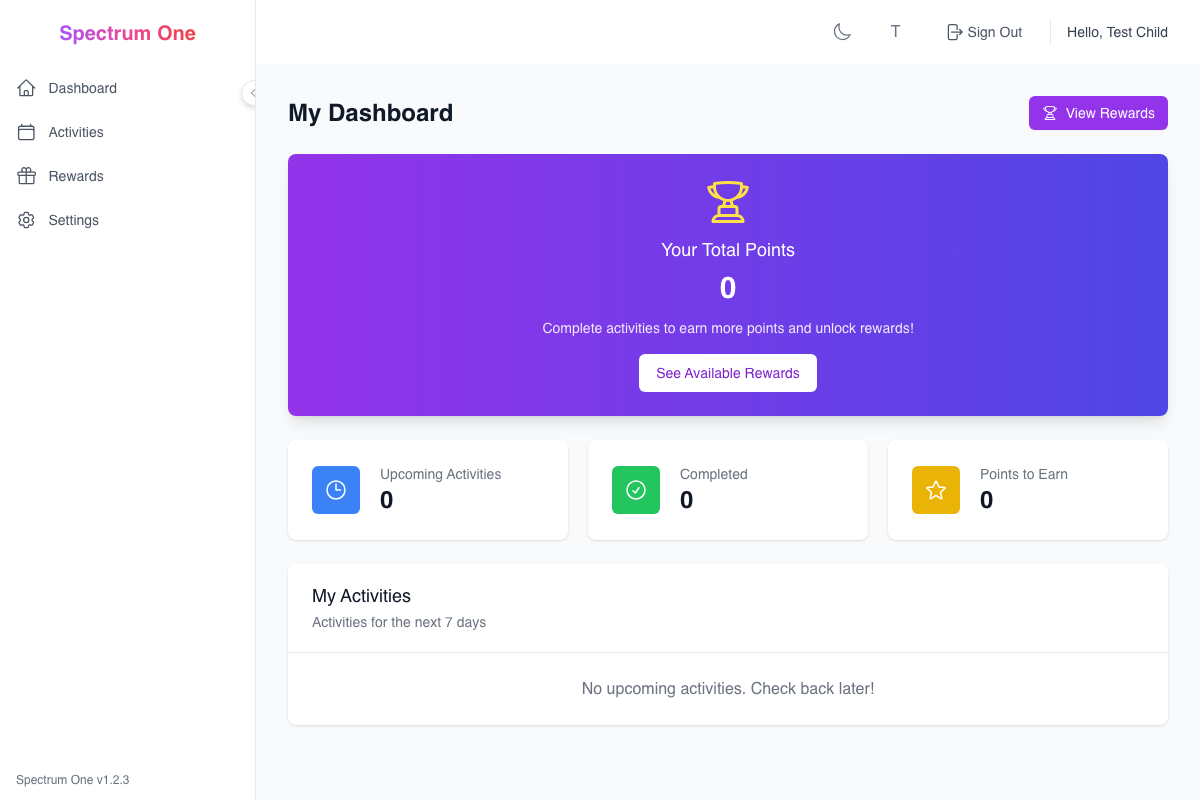
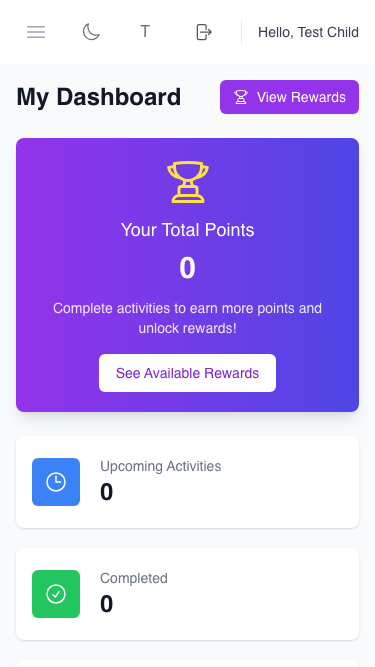
The Child Dashboard is designed to be simple, engaging, and easy to navigate for children with ADHD and autism. It shows your activities, points, and rewards in a clear, visual way.
What You'll See
When you log in, your dashboard shows:
Today's Activities - Your activities for today with fun icons and clear status
Your Points - How many points you've earned and your current streak
Available Rewards - Cool things you can get with your points
Recent Achievements - Your latest completed activities and earned rewards
Your Activities
Activity Cards
Each activity shows:
- Activity name with a fun icon
- What you need to do in simple words
- How many points you'll earn
- When it's due with easy-to-read time
Activity Status
Activities have different colors:
- 🟢 Green = You finished it! Great job!
- 🟡 Yellow = You started it, keep going!
- 🔴 Red = This one is overdue, ask for help if needed
- ⚪ White = Ready to start when you are
Staying Focused: The dashboard shows only the most important information to help you focus on what's next without getting overwhelmed.
Your Points & Streaks
Points Display
- Total Points: All the points you've earned
- Today's Points: Points earned just today
- Available to Spend: Points you can use for rewards
Streak Counter
- Shows how many days in a row you've completed activities
- Special celebration animations when you reach milestones!
- Streak badges for 3, 7, 14, and 30+ days
Rewards Section
See all the cool things you can earn:
Available Rewards
- Pictures of each reward so you know what you're working toward
- Point cost clearly shown
- How close you are to earning each reward
Quick Redeem
- One-click buttons to spend your points
- Confirmation screen so you don't accidentally spend points
- Celebration animation when you get a reward!
Recent Achievements
Your latest wins are displayed:
- Completed activities with the evidence you submitted
- Rewards you've earned
- Special milestones like streak achievements
- Encouraging messages from your parents
Predictable Layout: Everything stays in the same place so you always know where to find what you need. The layout doesn't change unexpectedly.
Easy Navigation
The menu is simple with big, clear buttons:
Main Sections
- 🏠 Dashboard - This page (where you are now!)
- 📋 Activities - See all your activities and complete them
- 🎁 Rewards - Browse and redeem rewards
- ⚙️ Settings - Change your preferences
Visual Cues
- Icons help you recognize each section quickly
- Colors stay consistent throughout the app
- Large buttons are easy to tap on any device
Completing Activities
From your dashboard, you can:
- Click on any activity to see the details
- Take a photo or write about what you did
- Submit your evidence to earn points
- See immediate feedback and point rewards
Mobile-Friendly Design
Your dashboard works great on:
- Phones - All the important stuff fits on your screen
- Tablets - Bigger buttons and easier to use
- Computers - Full view with all features
Sensory Considerations: The dashboard uses calm colors and avoids flashing or moving elements that might be overwhelming. You can adjust brightness and contrast in settings.
Getting Help
If you need help:
- Look for the ❓ Help button
- Ask a parent or caregiver
- Check the Activities Guide for step-by-step instructions
Fun Features
Celebrations
- Confetti animations when you complete activities
- Achievement badges for special accomplishments
- Progress bars that fill up as you get closer to rewards
Personalization
- Choose your favorite colors
- Pick fun avatars and icons
- Set up encouraging reminder messages
Next Steps
Remember: You're doing great! Every activity you complete helps you grow and learn new things. 🌟